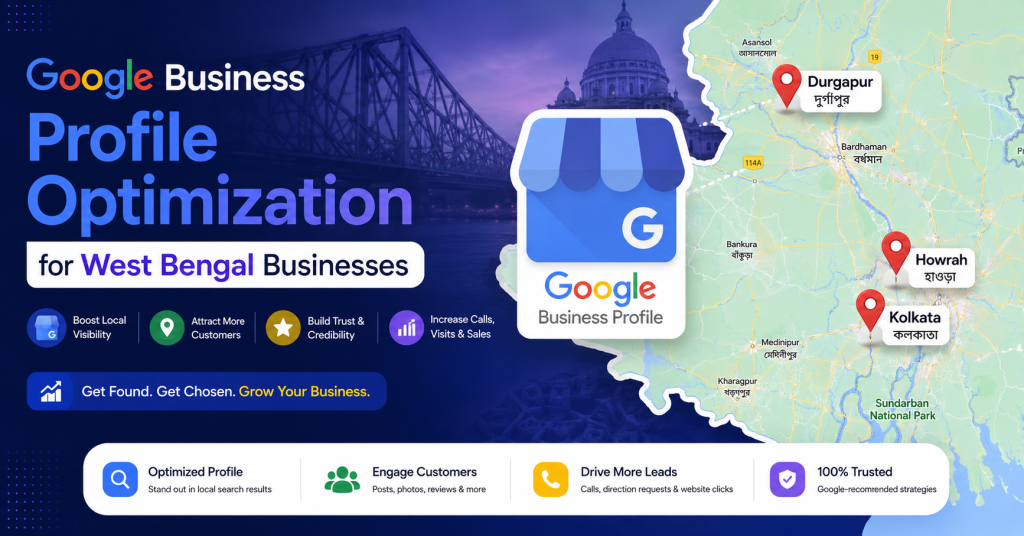
Are you a business owner in West Bengal struggling to appear in Google search results? Whether you run a shop in Kolkata’s Burrabazar, a restaurant in Howrah, or a service business in Durgapur or Siliguri — Google Business Profile (GBP) is your most powerful FREE local SEO tool.
In this comprehensive guide, we will walk you through every step of optimizing your Google Business Profile to rank higher in local searches, attract more customers, and grow your business across West Bengal.
Table of Contents
What is Google Business Profile?
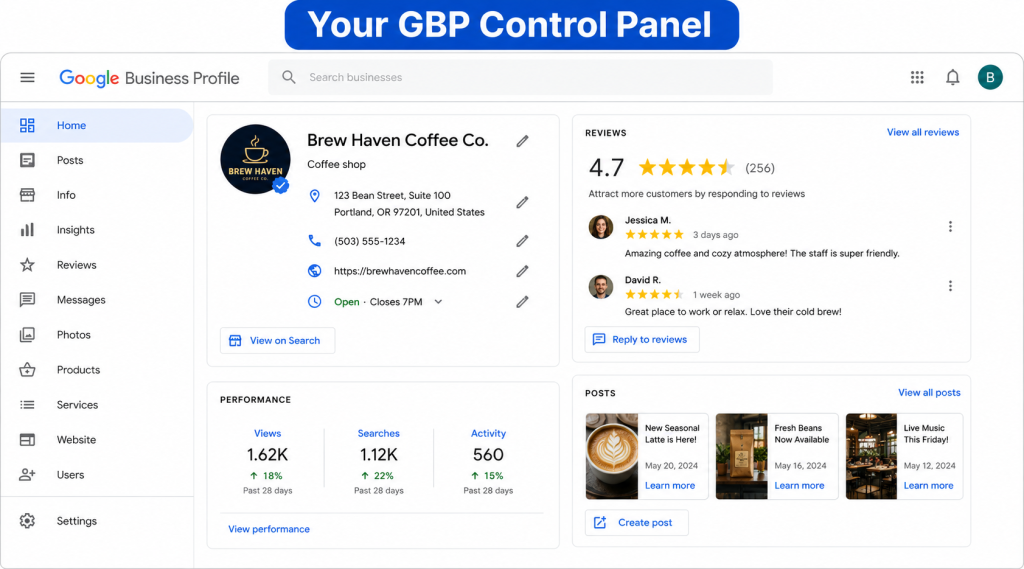
Google Business Profile (formerly known as Google My Business) is a free tool provided by Google that allows businesses to manage how they appear on Google Search and Google Maps. When someone searches for a business or a type of service near them, GBP listings appear in the top results — often before regular website links.
Key features of Google Business Profile:
- Business name, address & phone number (NAP)
- Business hours & special holiday hours
- Customer reviews & ratings
- Photos and videos
- Google Posts (offers, updates, events)
- Q&A section
- Messaging feature
- Website link & appointment booking
Why GBP Matters for West Bengal Businesses
West Bengal has a thriving business ecosystem — from traditional markets in Kolkata to IT hubs in Salt Lake, textile industries in Murshidabad, and tea estates in Darjeeling. However, most local customers now search for businesses online before visiting.
| 📊 Did You Know? Over 76% of people who search for a local business on their smartphone visit that business within 24 hours. (Source: Google) |
Here’s why GBP is critical for WB businesses:
- Free visibility: Appear in Google Maps and the local 3-pack without paying for ads
- Trust builder: Reviews and ratings build credibility with local customers
- Mobile-first: Most Bengali customers search on mobile — GBP is optimized for this
- Compete with big brands: Local SEO levels the playing field for small businesses
- Insights & analytics: Understand how customers find and interact with your listing
How to Set Up Your Google Business Profile
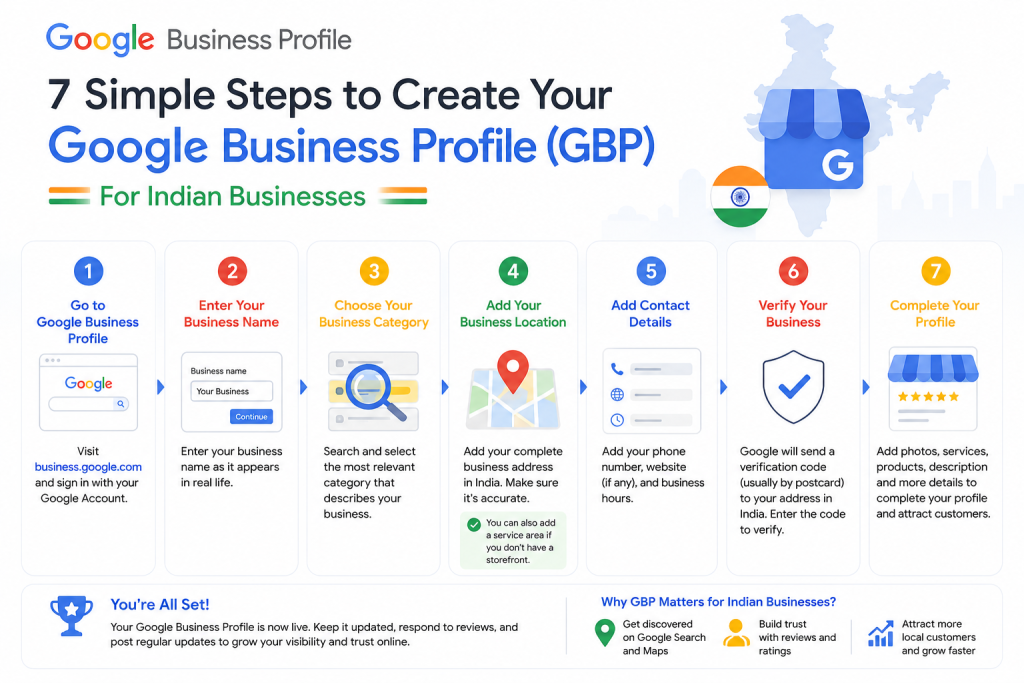
If you haven’t created your GBP yet, follow these steps:
Step 1: Go to Google Business Profile
Visit business.google.com and sign in with your Google account.
- Click ‘Manage now’ or ‘Add your business to Google’
- Enter your business name
- Select the correct business category
- Add your business location (if customers visit you) or service area
- Enter your phone number and website URL
- Choose a verification method (postcard, phone, or email)
- Complete verification
⚠️ Important: Use your exact legal business name. Do NOT add keywords to your business name (e.g., ‘Best Saree Shop Kolkata’) as this violates Google’s guidelines and can get your listing suspended.
Complete GBP Optimization Checklist
Once your profile is set up and verified, follow this comprehensive optimization checklist:
4.1 Business Information
- Business Name: Use your exact registered business name
- Primary Category: Choose the most relevant category (e.g., ‘Saree Store’, ‘IT Company’, ‘Restaurant’)
- Secondary Categories: Add up to 9 additional relevant categories
- Business Description: Write a 750-character description including your primary keyword naturally
- Phone Number: Use a local West Bengal number (+91-033-XXXXXXXX for Kolkata)
- Website URL: Link to your main website or a relevant landing page
- Address: Ensure it exactly matches your website, social media, and directories
4.2 Business Hours
Always keep your business hours accurate. Update them for West Bengal public holidays like:
- Durga Puja (5 days — usually October)
- Kali Puja
- Eid al-Fitr
- Dol Purnima / Holi
- Bengali New Year (Poila Boishakh — April 15)
4.3 Services & Products
Add all your services with names, descriptions, and prices where applicable. For example:
- A Kolkata legal firm should list: Corporate Law, Property Law, Criminal Defense
- A Durgapur manufacturing unit should list: Steel Fabrication, CNC Machining, Quality Testing
How to Get More Google Reviews
Reviews are the single most important ranking factor for local SEO. Businesses with more positive reviews consistently outrank competitors in the local 3-pack.
| 💡 Pro Tip: A business with 50+ genuine 5-star reviews in West Bengal will almost always outrank a competitor with fewer or lower-rated reviews, even if the competitor has a better website. |
Ethical Ways to Get More Reviews:
- Ask at the right moment: Request a review right after a positive transaction
- Send a WhatsApp message: Share your GBP review link via WhatsApp (popular in WB)
- Add a review QR code: Place it at your counter, invoice, or packaging
- Email follow-up: Send a polite follow-up email 2–3 days after service
- Respond to all reviews: Reply within 24 hours to both positive and negative reviews